The Two Video Ports That Speak the Same Language and Split Anyway
Plug a DVI monitor into an HDMI graphics card with a five-dollar adapter that contains no chips, no power, and no electronics of any kind, and it works. Picture on the first try. That happens because underneath the two very different-looking plugs, DVI and HDMI send video using the same signalling method, called TMDS. The adapter is a piece of wire routing. So the honest answer to “what’s the difference between DVI and HDMI” starts with what they share, and then moves on to everything HDMI kept adding after the two formats went their separate ways: audio, copy protection, a smaller plug, and a bandwidth ceiling that has been raised again and again while DVI’s stayed exactly where it was in 1999.
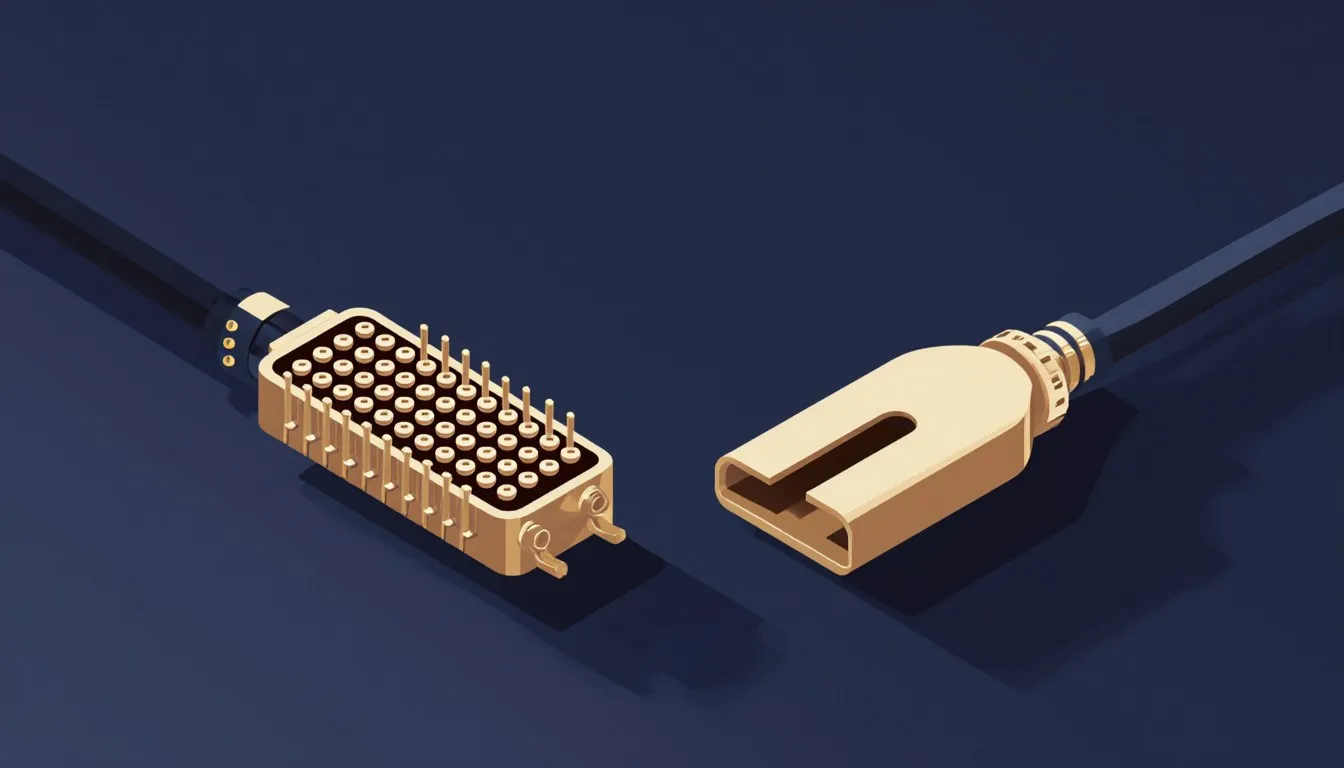
That fork in the road explains almost every practical question people have about these two ports. Why the adapter carries picture but leaves you hunting for speakers. Why your monitor has a plug that looks like a DVI socket with four extra pinholes crowded around a flat blade. Why a 1440p 144Hz gaming monitor from a few years ago still shipped with a DVI cable in the box while the TV in the next room never had a DVI socket at all.
Here is the whole map, from where each format came from to which one you should actually plug in tonight.
What’s actually different between DVI and HDMI?
The picture data is the same. Both formats send digital video using TMDS, Transition-Minimized Differential Signalling, which is a way of encoding pixel data onto pairs of wires so it survives the trip down a cable without smearing into noise. Three data pairs, one clock pair, red, green, blue, timing. A DVI cable and an HDMI cable carrying the same 1080p image are, at the electrical level, doing very nearly the same thing.
The differences are all in what got built on top of that shared foundation:
- Audio: HDMI carries sound and picture on one cable. DVI carries picture only.
- Copy protection: HDMI was designed with HDCP as part of the package, which matters enormously the moment you want to watch commercial video on a screen. DVI can support HDCP, but it was bolted on rather than baked in, and support varies by device.
- Connector size: DVI’s plug is wide, rectangular, and has thumbscrews. HDMI’s is small enough to sit on the edge of a phone-thin TV, and it just pushes in.
- Bandwidth over time: HDMI has gone through version after version, each raising the ceiling on resolution and refresh rate. DVI’s ceiling is where it was set when it launched.
- Extras: HDMI accumulated features that have nothing to do with a picture at all: a control channel so your TV remote can pause a Blu-ray player, a return path so a TV can send audio back down to a soundbar, an Ethernet channel almost nobody used.
That last bullet is the tell. HDMI was built to be the single cable behind a television, and every feature it grew serves that job: the control channel exists so one remote can drive a stack of boxes, the return path exists so the TV can feed a soundbar without a second wire, and the audio was there from version one because a picture cable that left you plugging in a separate optical lead would have missed the point entirely.
DVI, meanwhile, was designed by people thinking about a desk. A monitor a metre away, on a computer that already had speakers, in a world where “copy protection on the video output” was not yet a thing anyone was building around. It solved that problem well enough that it never needed to change, and then the world changed around it.
Where did DVI and HDMI actually come from?
DVI arrived in 1999 from the Digital Display Working Group, a consortium of computer-industry companies with one shared irritation: the graphics card had the image in perfect digital form, converted it to an analogue VGA signal to shove it down a cable, and then the monitor converted it back to digital to put it on an LCD panel. Two conversions, both lossy, both entirely pointless once flat panels replaced CRTs.
You could see the waste. Analogue VGA on a flat panel produced faint vertical shimmer, text that wouldn’t quite sharpen, an image that needed the monitor’s “auto-adjust” button pressed every time you changed resolution. Anyone who used a computer in the early 2000s remembers pressing that button and watching the picture wobble into place. DVI’s whole reason for existing was to skip both conversions and hand the panel the pixels the graphics card already had.
It worked. But DVI arrived with an inheritance problem: millions of VGA monitors and VGA cards were still in use, and a format that abandoned them would be a hard sell. So DVI was designed to optionally carry the old analogue signal alongside the new digital one, which is why the connector has that odd cluster of extra pins on one end. More on that below, because it’s the single most confusing thing about DVI.
HDMI came a few years later, in 2002, from a very different room. The founding companies were consumer electronics and entertainment names, including Sony, Hitachi, Philips, and Toshiba, and they were staring at the back of a home theatre cabinet: component video, S-Video, composite, optical audio, coaxial audio, stereo RCA pairs, a snake pit of colour-coded plugs that customers wired wrong and then blamed the equipment for. Every new box in the stack added three more leads to guess at.
They wanted one cable. Picture and sound together, small enough for slim gear, with copy protection built in from the start because the studios releasing high-definition content were not going to hand it over on an unprotected pipe.
So rather than start from scratch, they took DVI’s proven digital video signalling and built the rest around it. That decision, made for pragmatic reasons in the early 2000s, is why your adapter works in 2026.
Can you really just adapt DVI to HDMI?
Yes, and the cheap adapters are the real ones. A passive DVI to HDMI adapter is a lump of plastic with metal in it, no chips, no power, and it works because the wires line up. The TMDS pairs on the DVI connector map directly onto the TMDS pairs on the HDMI connector. Nothing is being converted. The signal walks across the adapter unchanged, in either direction, and the display shows a picture.
This is genuinely unusual in the world of video connectors. Most cross-format adapters are doing hard work behind the scenes. Anything that goes from digital to analogue or back, HDMI to VGA, DVI to VGA, needs a real converter chip and usually a power source, and its quality varies wildly. DVI to HDMI needs none of that, because there’s nothing to convert.
What the adapter cannot do is invent data that was never there:
- Audio doesn’t cross from the DVI side. A DVI output has no audio to give. If your source is DVI and your destination is an HDMI TV, you’ll need a separate audio cable, and you’ll need to tell your computer to use it rather than defaulting to the display.
- Audio going the other way gets dropped. An HDMI output feeding a DVI monitor is sending sound, but the DVI monitor has no way to receive it and usually no speakers anyway. The picture arrives fine, the audio evaporates, and your computer may still list the display as an audio device, which is exactly the sort of thing that eats a Saturday afternoon.
- It won’t rescue an analogue-only signal. A passive adapter carries digital. If the DVI end is analogue-only, there’s no digital signal there to hand over.
- Copy protection still has to agree. Both ends have to negotiate HDCP successfully or protected content refuses to play, sometimes with a black screen and no explanation.
Set expectations at the checkout and this is one of the most reliable, least annoying adapters you can buy. It’s also worth buying a proper cable with the right plug on each end rather than a dongle hanging off the back of a graphics card, since the dongle plus a cable makes a heavy lever on the port and a loose connection is a picture that flickers out at 11pm for no visible reason.
Does DVI support audio the way HDMI does?
No. DVI is video-only by design, and that is the cleanest, least ambiguous difference between the two formats. HDMI was built from the first version to carry audio and video together on one cable, because carrying both was the entire point of the format.
The reasoning made sense in 1999. A desktop computer already had a sound card, and the sound card already had speakers plugged into it. Sending audio to the monitor would have meant sending it to a device whose speakers, if it had any at all, were two tinny drivers pointed at the wall behind it. Nobody wanted that. DVI was solving a picture problem and only a picture problem.
The complication is that some graphics cards muddied this. Certain AMD cards, in particular, shipped DVI ports wired to pass an HDMI-style signal, audio included, through a specific adapter supplied for the job. So a person somewhere will tell you their DVI port definitely carried sound, and they may well be right, but that was a hardware-specific extension rather than anything DVI itself defines. You cannot count on it, and you certainly cannot count on it with a generic adapter.
The practical version: if sound needs to travel the same cable as the picture, you want HDMI on both ends. If your DVI monitor is a silent slab of glass and your speakers plug into the computer, DVI costs you nothing, and if you have desk speakers you actually like, an HDMI TV’s built-in audio is a downgrade you’d never choose on purpose.
Is there a real difference in picture quality?
At the same resolution and refresh rate, no. A 1080p image delivered over DVI and the same image delivered over HDMI are the same pixels, encoded the same way, arriving at the same panel. There is no sharpness advantage hiding in either plug, and anyone selling you a cable on the promise of richer colour through a better connector is selling you a story.
This trips people up because they remember the VGA era, when cable quality visibly changed the picture. A long or cheap analogue cable really did produce ghosting and softness, and swapping it really did help. Digital doesn’t degrade that way. It either has enough bandwidth to deliver the frame or it doesn’t, and when it doesn’t you get sparkles across the top third of the screen, a picture that blanks for half a second every couple of minutes, or a resolution the display simply declines to list. Digital failure is loud and intermittent, and it looks like a hardware fault rather than a cable running out of headroom, which is why people replace the monitor before they replace the lead.
The gap that does exist is bandwidth, measured in how many pixels per second each format can push:
- Single-link DVI tops out well below what modern displays ask for. It handles 1920x1200 at 60Hz comfortably and runs out of room above that.
- Dual-link DVI roughly doubles the available bandwidth by using a second set of TMDS pairs, which is how DVI ever managed 2560x1600 at 60Hz, or the high-refresh 1080p that made dual-link DVI a gaming favourite for years.
- HDMI has kept climbing. Each major version raised the ceiling: early versions handled 1080p, later ones added 4K, then 4K at high refresh rates, then 8K. A modern HDMI port carries multiples of what dual-link DVI can.
Which means the version on your gear matters far more than the format name. An old HDMI 1.2 port on a decade-old TV cannot do what a dual-link DVI port on a good monitor can. A current HDMI port leaves DVI in the dust. Two ports of the same shape can be a decade and several thousand pixels apart, so the number in the manual is worth more than anything you can see on the back panel.
One more wrinkle worth knowing: chroma subsampling. HDMI, because it grew up carrying video content, supports compressed colour modes that throw away some colour detail to save bandwidth. On a film, invisible. On small red text on a black background, visibly fuzzy, which is why a computer plugged into a TV sometimes has text that looks slightly wrong in a way you can’t name. DVI, having only ever carried computer signals, doesn’t do this. If you’ve ever hooked a laptop to a television and squinted at the desktop wondering what was off, that’s a candidate.
Why does DVI have so many different connector shapes?
Because DVI was trying to be two formats at once. Every awkward variation traces back to the decision to carry both the new digital signal and the old analogue VGA one through a single connector, so that a monitor or card could support either without the buyer needing a different plug.
The result is a family:
- DVI-D carries digital only. This is the one that maps cleanly onto HDMI and the one an adapter works with.
- DVI-A carries analogue only, effectively VGA wearing a DVI-shaped plug. Rare, and mostly seen on adapters rather than devices.
- DVI-I carries both, integrated, which is why it has the extra pins. It can feed a digital display or, with a simple adapter, an analogue VGA one.
Layered on top of that is the single-link versus dual-link split, which changes the pin count again. Single-link uses one set of TMDS pairs. Dual-link adds a second set through the middle block of pins, which is why a dual-link connector has a filled-in centre where a single-link one has gaps.
So a DVI port might be DVI-D single-link, DVI-D dual-link, DVI-I single-link, DVI-I dual-link, or DVI-A, and you can tell them apart by counting pinholes and looking for a flat blade with four pins around it. Which is a genuinely absurd thing to ask of a person standing behind a desk with a torch in their teeth.
Two rules save most of the trouble. First, a cable with fewer pins than the port can still fit and still work, just with fewer capabilities, so a single-link cable in a dual-link port gives you single-link performance and a confusing resolution limit. Second, that flat blade with four pins around it is the analogue giveaway: if your cable end has those four pins and the port doesn’t have holes for them, the cable will not seat, and no amount of pressure will fix it.
The reason all this feels so archaeological is that it is. HDMI got to skip it entirely by launching after the analogue era ended, with exactly one plug shape doing exactly one job. DVI carried the transition on its back and has the scars to show for it.
So which one should you actually use today?
The choice is almost always made for you by the ports that happen to be on the two boxes in front of you. Pull the monitor forward, turn it so the back catches the light, and see what’s actually there. Four questions decide it.
What do both ends actually have?
Two HDMI sockets means HDMI, no adapter, done. Two DisplayPort sockets is usually the happier answer for a computer monitor, especially if you’re driving a high refresh rate or daisy-chaining a second screen. DVI wins by default in the awkward case: a graphics card with one spare HDMI output and a monitor whose only free input is that wide white plug with the thumbscrews. That combination is extremely common on a desk assembled over several years, and it’s the whole reason the adapter aisle exists.
How hard are you working the cable?
Refresh rate is the part everyone forgets. Doubling the frame rate roughly doubles the bandwidth demand, so a 1440p monitor at 60Hz and the same monitor at 144Hz are entirely different asks of the same wire. The failure is sneaky: nothing breaks, the picture looks fine, and 144Hz simply never appears in the display settings list. You spend twenty minutes reinstalling drivers before it occurs to you that the single-link cable in the drawer was the problem all along.
Does the sound have to travel with the picture?
A silent monitor on a desk with real speakers loses nothing to DVI. A television across the room is a different story: the sound is supposed to come out of the TV, and a DVI run means a second cable trailing across the carpet plus a trip into the audio settings every time Windows decides the display is the default output again.
Will the screen ever have to play protected video?
Streaming services and Blu-ray need HDCP to negotiate along the whole chain, and an older DVI monitor is where that handshake most often collapses. The symptom is deeply unhelpful: a black rectangle where the video should be, everything else on the desktop looking perfectly normal, no error message at all. If a screen is meant to play films, HDMI end to end saves you an evening.
The way this goes wrong is buying a passive adapter where the job needed an active converter, or a single-link cable feeding a display that wanted dual-link. Both cost about the same as a coffee, which is exactly why nobody reads the label on the packet, and both fail the same maddening way: no picture at all, or a picture stuck at a resolution the monitor is perfectly capable of beating. The answer was printed on the packaging the whole time, in six-point type, next to the barcode.
For most people in 2026 the answer lands on HDMI or DisplayPort, with DVI as the reason a perfectly good older monitor gets to stay useful instead of going in a cupboard. That’s a real use. A 1080p or 1200p panel that still looks fine is worth keeping as a second screen, and a DVI port plus an adapter is often the whole cost of keeping it.
Is DVI on its way out?
On the shop shelf, DVI is finished. New graphics cards mostly ship without a DVI port at all now, having settled on HDMI and DisplayPort, and new monitors increasingly do the same, right down to the budget office panels that hung onto the port longest. Laptops abandoned DVI a long time ago, since a connector that wide with thumbscrews on either side was never going to survive the race to make machines thin.
A port disappears from the catalogue years before it disappears from the world. There are an enormous number of working DVI monitors on desks, in offices, in schools, in server rooms, and in the second-monitor slot of home setups everywhere. A monitor is a piece of glass and a backlight, and a good one lasts a decade or more without complaint. The port on it doesn’t stop working because the industry moved on.
DVI also has a stubborn foothold in places where nobody is buying new gear on a fashion cycle: industrial equipment, medical displays, KVM switches, digital signage, older machines running software that has no reason to change. Formats persist longest where the surrounding system is expensive and works fine.
So DVI has settled into a long, useful afterlife. You’ll keep meeting it on hardware you already own, on the back of a monitor a friend is giving away, in the box of cables everyone has in a cupboard. What you won’t do is choose it for something new.
The one thing worth remembering
Somewhere in a meeting room in 2002, HDMI’s designers looked at DVI’s video signalling and decided to keep it. That decision, made for the dull reason that the thing already worked, is why a five-dollar lump of plastic with no chips inside it can join a 1999 format to a 2026 television and get a clean image on the first try. The two formats have agreed about the picture ever since, and argued about everything wrapped around it.
It also explains the failures. The picture crosses the boundary intact, because both formats were built around the same signalling. Everything HDMI bolted on afterwards stops at the plug: sound, the HDCP handshake, the extra bandwidth that arrived with each new version number. Once you know which side of that line a feature falls on, you can predict what a given adapter will do before you buy it, which is a better outcome than reading the packaging and hoping.
Next time you’re crouched behind a desk trying to work out why the picture arrived and the sound didn’t, count the pins. The connector will tell you what it can and can’t do, if you know what its shape was arguing about back in 1999.
Nora Beckett
Staff Writer
Nora Beckett writes about the surprising history, science, and culture hiding inside everyday things. She is happiest when a footnote turns into a rabbit hole, and she chases the question of why things are the way they are until there is a satisfying answer.